
How it works
Documents
The Documents page is the knowledge base seen by source: connected sources first (each card shows its live health and document count), then the catalog of everything you can connect. Click a source to open it — its setup steps while it's new, then the documents themselves.
- Upload adds a file to the built-in Uploaded documents source — only the uploaded file is indexed, not the whole source. Markdown and text ingest directly; Word, PDF, Excel, PowerPoint and scans are converted (scans are OCR'd).
- Internal docs is the other built-in source: the pages and files written inside Naxis Assistant itself — notes, decisions, an AI agent's own memory — over the Admin API/MCP, in a folder tree of their own. See Internal docs.
- Access changes who can read a single document — uploaded documents right here in their list, and ANY document (cloud too) from a person's file map: Users → Edit → View file map.
- A document that couldn't be read shows a red reason — replace or remove it.
- Sync all re-checks every source now; each source also has its own Sync in its ⋯ menu. Syncs run in the background — watch them under Settings → Background activity.
- Removing a source removes its documents from the knowledge base; the originals in the connected account are never touched.
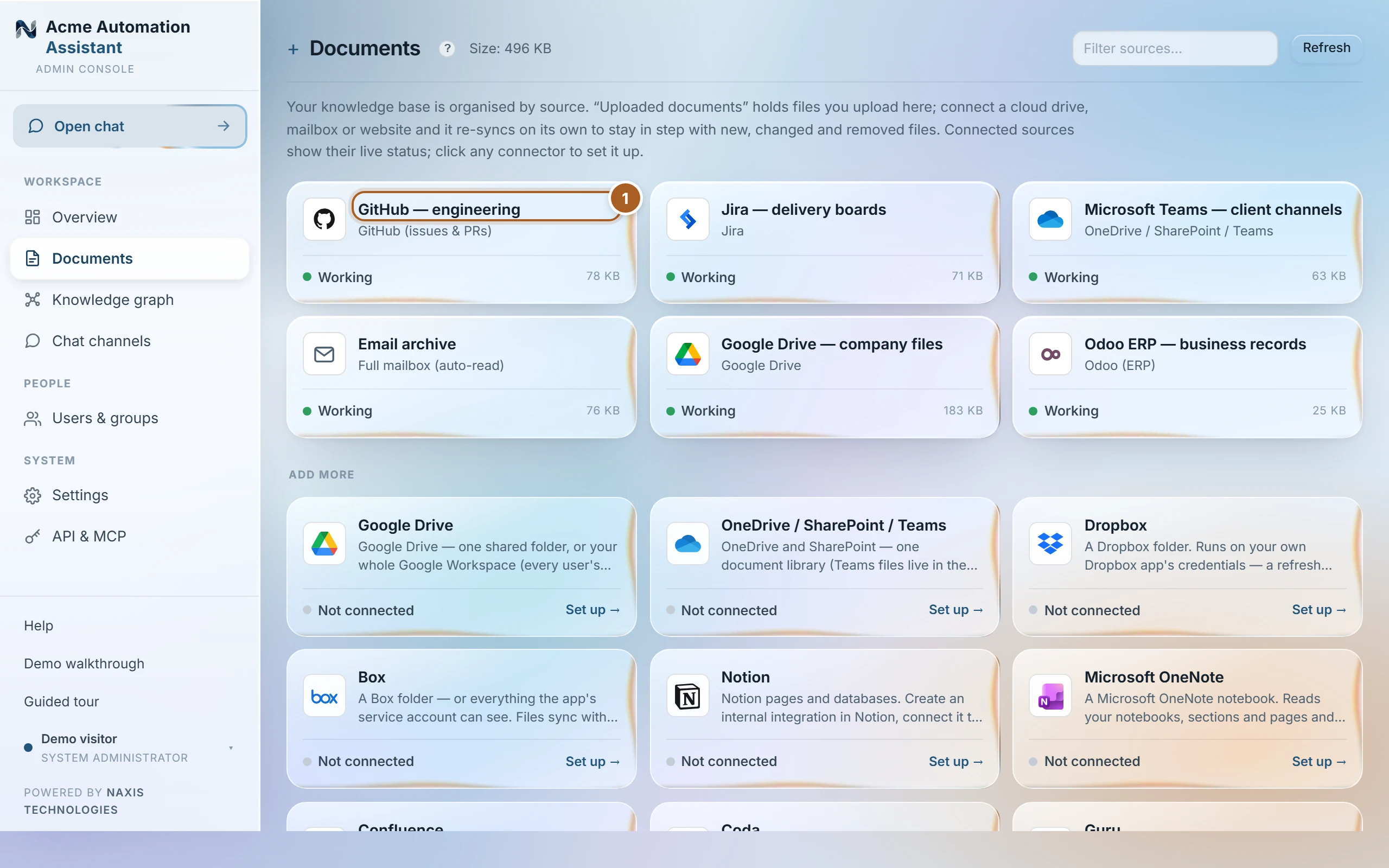
What the source card signals mean
| Working | The last sync succeeded; documents are current. |
|---|---|
| Syncing… | A sync is running right now — counts settle when it finishes. |
| Not synced yet | Connected but the first sync hasn't run — press Sync. |
| Broken | The source can't be reached (bad credentials, outage). Its documents stay searchable; fix the connection and sync again. |
Finding a document
Every source's document list is searchable and filterable by status, so “which contracts failed to read” or “what did the Jira source bring in” is a filter, not a hunt. Open any document to see its passages and current access — the same view a “Check a person's view” lookup under Users draws from, so what you see here is exactly what an eligible person's assistant can cite.
Was this page helpful?
Last updated 20 Sep 2026