
How it works
How Naxis Assistant works
Naxis Assistant answers your team's questions using only your company's own documents and data, and always shows the exact passages behind each answer. As the administrator you control two things: where knowledge comes from (Documents), and who may see what (Users & groups). Everything else — syncing, indexing, retention — runs itself.
Everything a person asks is checked against what their groups allow. The assistant never answers from a document the asker isn't permitted to see, and when the answer isn't in the documents it can reach, it says so instead of guessing. How that works mechanically is described in “How answers are made”.
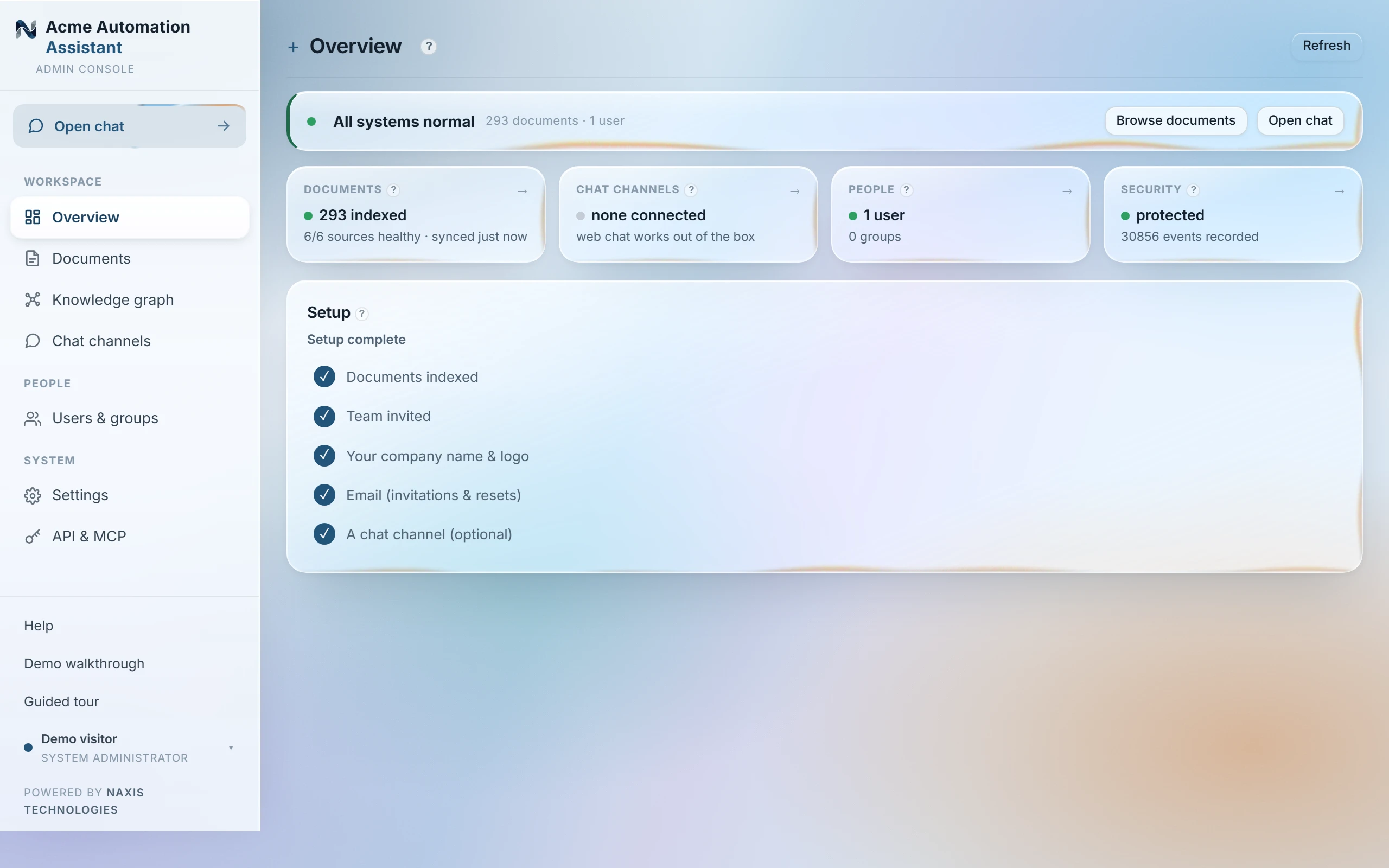
The Overview page, tile by tile
| Status line | Green when nothing needs you. When something does — a document that can't be read, a source that can't sync, a broken channel, invitations waiting — it appears under “Needs attention” with a button to the page that fixes it. |
|---|---|
| Documents | How many documents are indexed and whether all sources are healthy. Click through to manage sources. |
| Chat channels | How many messaging doorways (Teams, Slack, WhatsApp…) are connected and delivering. |
| People | Accounts and groups; flags invitations that haven't been accepted yet. |
| Security | Whether the tamper-evident audit chain has been verified intact, and how many events it holds. |
| Most active users | Who actually asked questions in the last seven days — the adoption question answered at a glance. |
| Setup | The five things a finished install has. Each row links to where it's done. |
A first question, end to end
Once a source has synced, open Chat (or the widget, once a channel is connected) and ask something the documents actually cover — “what's our notice period for enterprise contracts?” The answer comes back as a short, direct paragraph with numbered citations, [1], [2]…, each one a link to the exact passage it came from. Ask something the documents don't cover and you get an honest “I don't have that in the knowledge base” instead of a guess — that refusal is the same trust mechanism working, not a fault.
The three buttons on the status line — Upload document, Add user, Sync sources — are the three most common actions, one click from anywhere.
Last updated 20 Sep 2026