
Websites
Set up WordPress
Connect WordPress to read the CMS itself — posts and pages as clean structured content with real dates and authors, drafts included when credentials allow. Deeper than crawling the rendered site. Read-only.
Before you start
- Published content needs no credential — the REST API answers publicly by default since WordPress 4.7.
- For drafts, pending or private content, see Application passwords below.
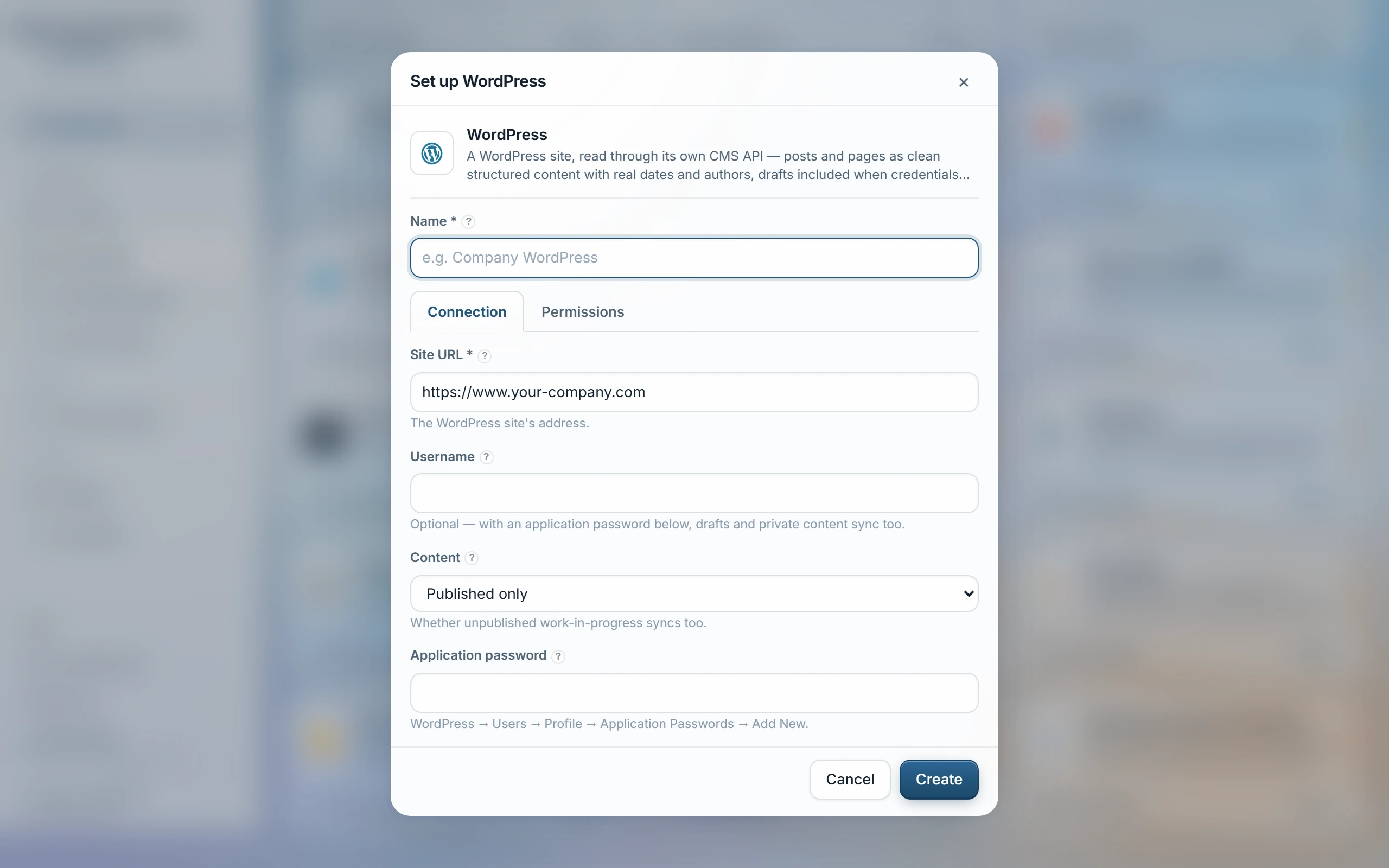
- Documents → WordPress, enter the site URL — published content needs no credentials at all.
- For drafts and private content: in WordPress open Users → Profile → Application Passwords, add one, and enter the username + application password.
- Choose access groups, Test, then Sync.
What comes in
- Every page and post becomes one document, carrying its author, publish date and a link back to the source page.
- Pages rank as the site's living word; posts rank as dated announcements, so an old blog post never outranks the current page.
- Password-protected posts and pages are skipped — there's no reader to check the password against.
- Public content types beyond pages and posts — a WooCommerce product, a theme's portfolio type — aren't read by this connector; Sync notes it when a site has any.
| Content | Published only (default), or Published + drafts and private — the second needs the username and application password above. |
|---|
Application passwords
Not the account's login password: WordPress mints per-app passwords under Users → Profile → Application Passwords. Revoking one there cuts this source off without touching the real password — spaces in the generated password don't matter.
Access
Every page and post this source brings in is visible to the groups you choose when setting it up. WordPress exposes no per-post viewer list to check drafts or private content against — so turning on “Published + drafts and private” makes all of it visible to those same groups, with no finer control available.
Test fails plainly when a security plugin has turned off the REST API. Posts and pages are each capped at 2,000; Sync notes it if a site has more.
Last updated 20 Sep 2026