
Settings, operations & compliance
Settings, tab by tab
General
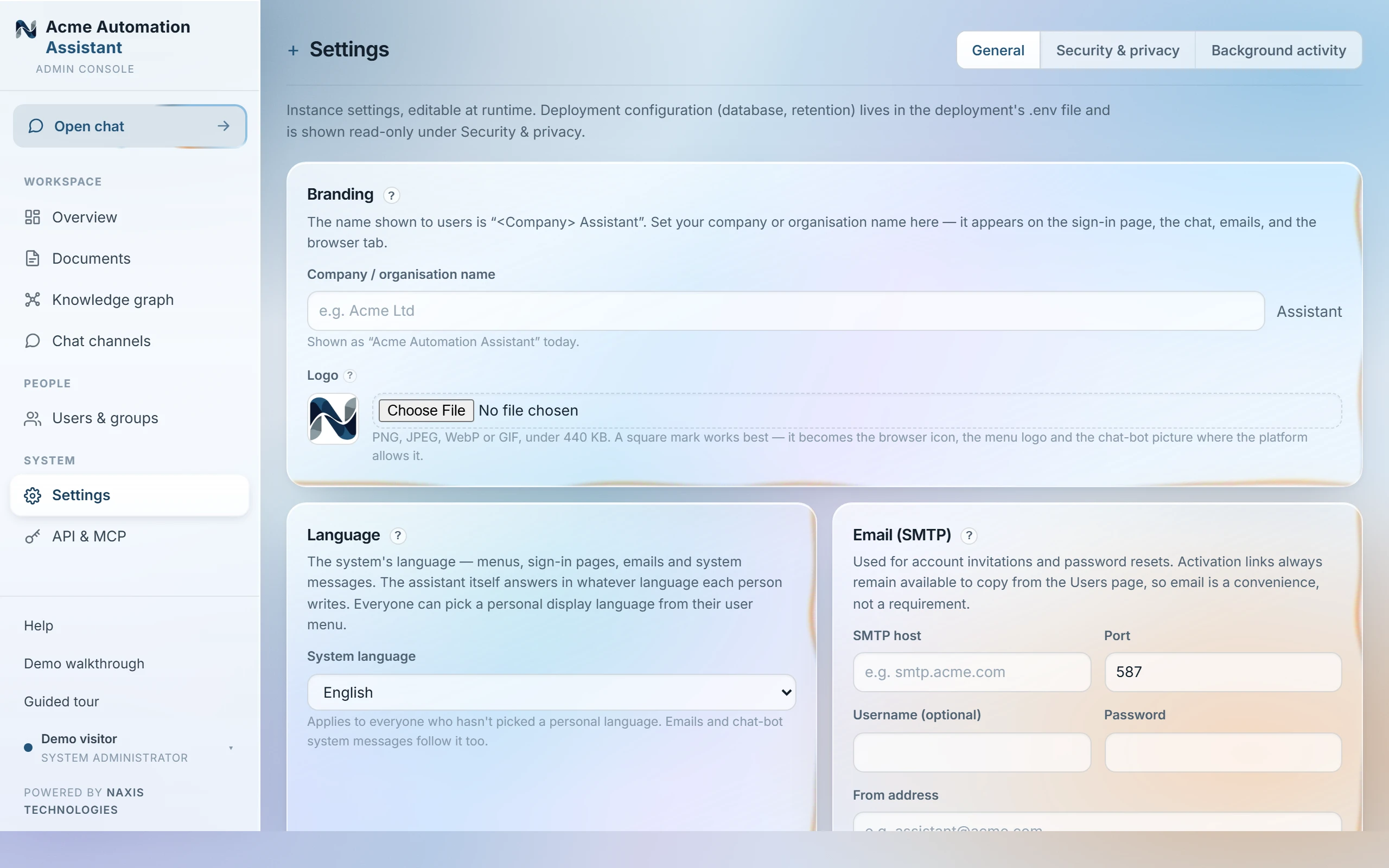
| Branding | Your company name, logo and two brand colours — see Branding. |
|---|---|
| Language | The system language for menus, sign-in pages, emails and system messages — see “System language”. The assistant itself always answers in the asker's language. |
| Email (SMTP) | The outgoing mail server used for invitations and password resets — see Email. |
| Public address | The base URL this system is reached on. It is what emailed links point at and what platform webhooks (WhatsApp, Slack…) are built from — set it to the address your users actually use, especially behind a reverse proxy. |
| Software updates | Appears only when an update is waiting on a managed deployment — see “Software updates”. |
The page saves as one unit — the save bar appears once anything is edited, and every field on it commits together.
Plan & seats
The plan this workspace runs under and its seats — people on seats next to seats included — plus the document store as plain facts, with “Manage plan” linking to your account page. See “Plan & seats”.
Security & privacy
Measured facts about who can read what, accounts and sign-in, the tamper-evident audit chain, retention, and where data lives — plus GDPR tools (erasure, subject export) and the live compliance manifest. See “Security & privacy” and “Audit log”.
Background activity
A read-only feed of the background jobs (syncs, document analysis, retention). Jobs run and repair themselves — nothing there needs attention. See “Background activity (jobs)”.
Deployment-level configuration — the database, retention periods, how answering is provisioned — is deliberately not editable here: it lives in the deployment's .env, and the Security & privacy tab shows it read-only so the compliance manifest can never drift from reality. The four tabs are ordered General, Plan & seats, Security & privacy, Background activity — the last three are read-mostly by design, since almost nothing about how the assistant runs is meant to be a daily decision.
Last updated 20 Sep 2026